![3DISC_Logo_RGB_tiny.png]](https://help.3disc.com/hs-fs/hubfs/3DISC_Logo_RGB_tiny.png?height=50&name=3DISC_Logo_RGB_tiny.png)
- 1. Go to 3DiscClinic™ Data Settings:

- 2. In Case/Database Import, click IMPORT.
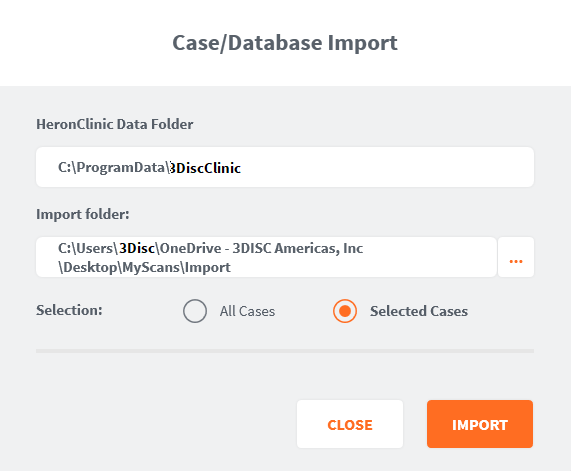
In the Case/Database Import dialog box:
- 3. Select a folder to be imported.
- 4. Check All Cases or Selected Cases, and Click IMPORT.
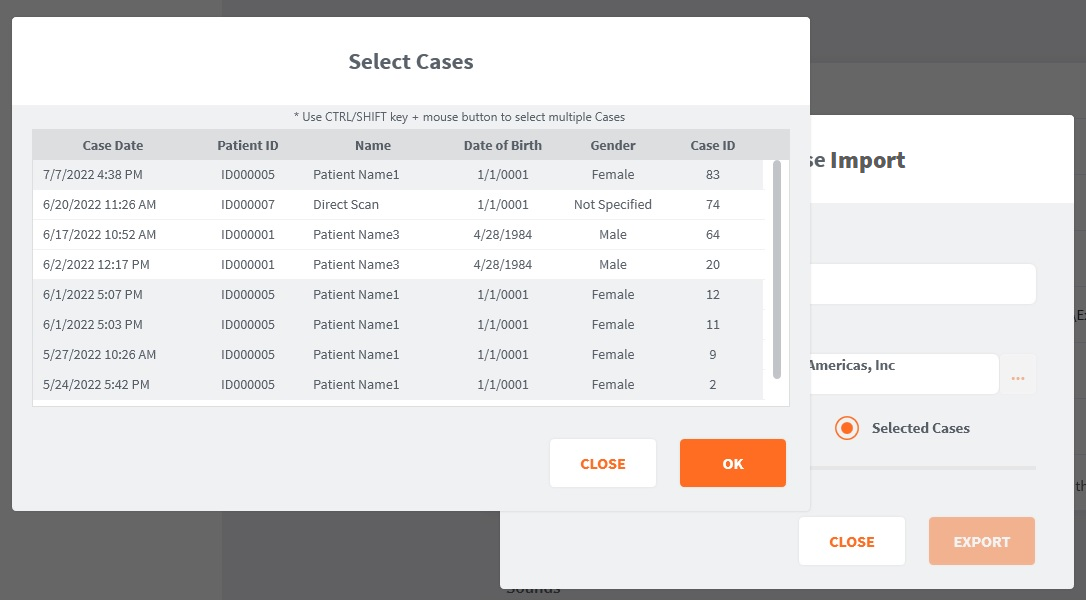
- 5. Select the desired case(s), and click OK.
- 6. Click Import.