![3DISC_Logo_RGB_tiny.png]](https://help.3disc.com/hs-fs/hubfs/3DISC_Logo_RGB_tiny.png?height=50&name=3DISC_Logo_RGB_tiny.png)
Recommended PCs for OVO3
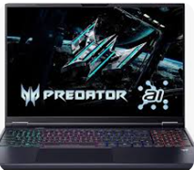 |
ACER Predator PHN16-73 Intel(R) Core(TM) Ultra 9 275HX 16-inch screen 32 GB DDR5-6400 NVIDIA GeForce RTX 5070 Ti Laptop GPU with12 GB GDDR7 dedicated memory |
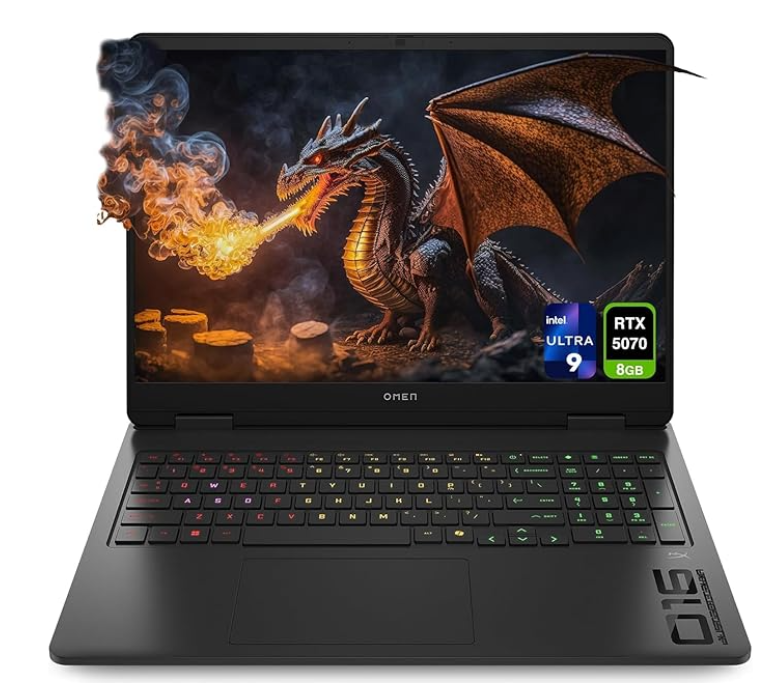 |
HP Laptop Omen 16 Intel Ultra 9-285H 16-inch Screen 32 GB DDR5 RAM NVIDIA GeForce RTX 5070 graphics chip with 8 GB GDDR7 |
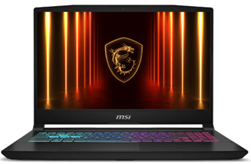 |
MSI Katana 15 HX Intel Core i7 14650HX processor 15.6-inch screen 32 GB DDR5 RAM (2 slots with 64 GB max) NVIDIA GeForce RTX 5070 graphics chip with 8 GB GDDR7 |
Supported PCs for OVO3
The Following PCs is supported by 3Disc for the OVO3. The PCs The fact that the processing speed may be lower than the recommended PCs which can impact the transition times between steps and the case finalization.
Unsupported Computers
Any computers with less than 8GB dedicated video Ram on the NVIDIA graphics card are not supported.
In addition, the Alienware 16 x Aurora Gaming Laptop AC16251 is not supported for OVO3 as it does not deliver enough power to the USB-C port.
Recommended Requirements
|
CPU Type |
Intel i7 or i9 with 14 generation or Core Ultra 7 and 9. |
|
Memory |
32 GB of RAM or greater (DDR5 or better) |
|
GPU (Graphics Processing Unit) |
Laptop & desktop unless indicated otherwise. NVIDIA GeForce RTX 5070. Note the NVIDIA GeForce and RTX5050 and RTX5060 are not supported |
|
USB Type-C |
Requires PC to deliver 15W via the USB-C to have stable connection. |
Need Assistance?
If you have any additional questions or need support, please contact support@3disc.com.