![3DISC_Logo_RGB_tiny.png]](https://help.3disc.com/hs-fs/hubfs/3DISC_Logo_RGB_tiny.png?height=50&name=3DISC_Logo_RGB_tiny.png)
The 3DiscCloud™ platform is designed to facilitate file sharing and manage connections with laboratories. It is NOT intended as a cloud storage service.
Adding a Connection
To add a connection:
-
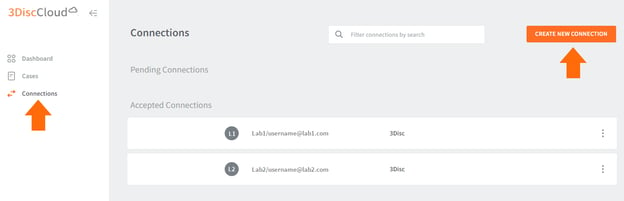
1. Click Connections in the 3DiscCloud™ left-hand menu.
- This will open the Connections page.
-
2. ClickCreate New Connection
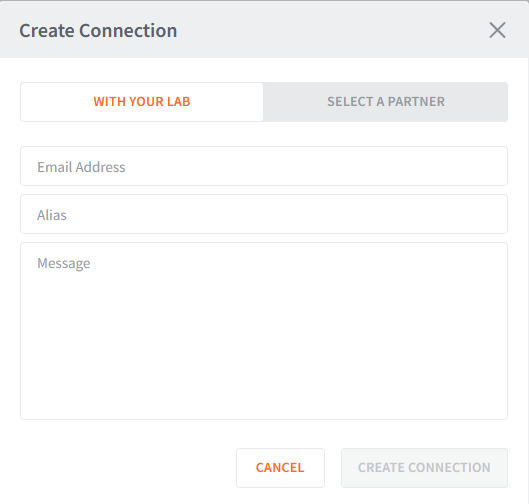
- This will open the Create Connection dialog box.
Adding a Connection to a Lab
- 3. In the Create Connection dialog box, select
With Your Lab - 4. Enter the Lab email address, Alias (optional) and Message.
-
5. Click Create Connection.
-
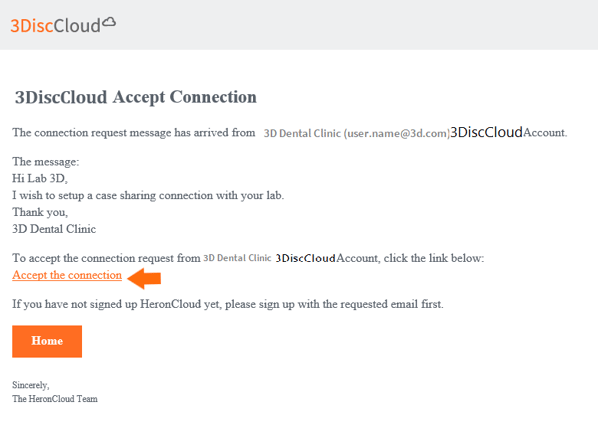
An email request is sent, inviting the lab to accept the connection.
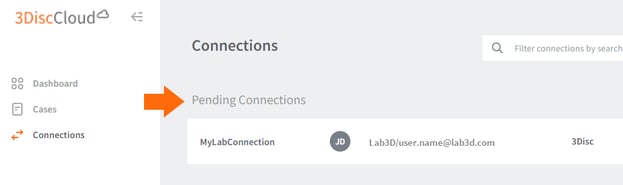
- Current connection requests are displayed in the list of Pending Connections:
The 3DiscCloud™ platform provides labs with secure access to all case files associated with orders received.