![3DISC_Logo_RGB_tiny.png]](https://help.3disc.com/hs-fs/hubfs/3DISC_Logo_RGB_tiny.png?height=50&name=3DISC_Logo_RGB_tiny.png)
Using the Cross Section tool

To draw a Cross Section line:
- 1. In the Review Page, click on the icon of the Cross Section Tool.

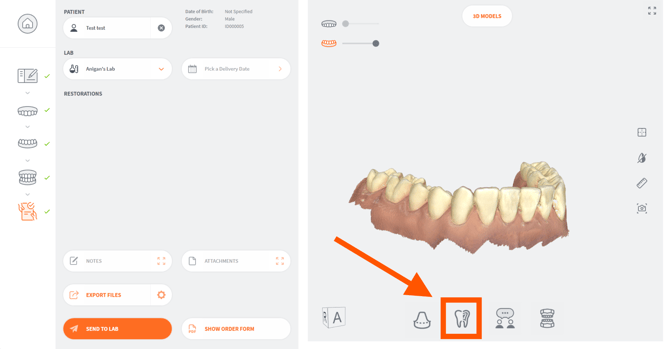
3DiscClinic™ Case Review - Inspection Page
- 2. Click on the Cross Section icon in the left-hand Clinical Tools menu.
This opens the Cross Section tool:
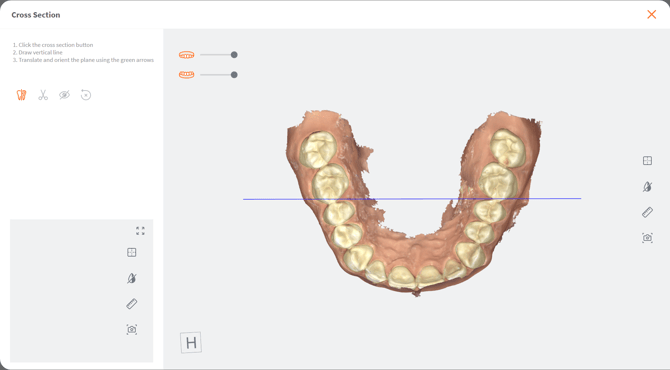
- 3. Click on the Cross Section Line icon in the left-hand menu.
- 4. Click and drag to start drawing the Cross Section line. Release to finish.
The Cross Section plane is displayed as shown.
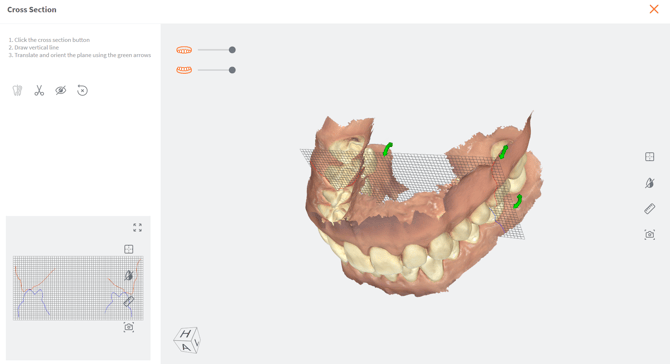
-
5. Click and drag on the green arrows to modify the position of the plane.
-
You can also click to expand the Cross Section graph view.
-
6. Click on the Cut icon to reveal the cross section view.
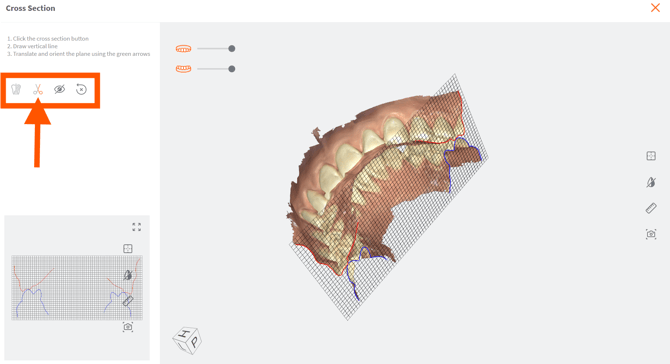
- Click again to show from the other side.
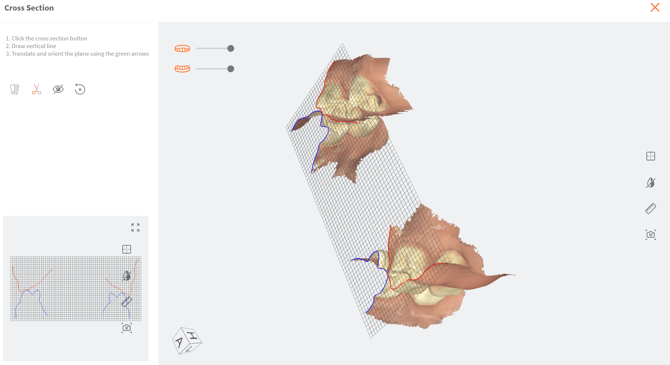
- 7. Click on the Hide icon to hide the cross section plane.
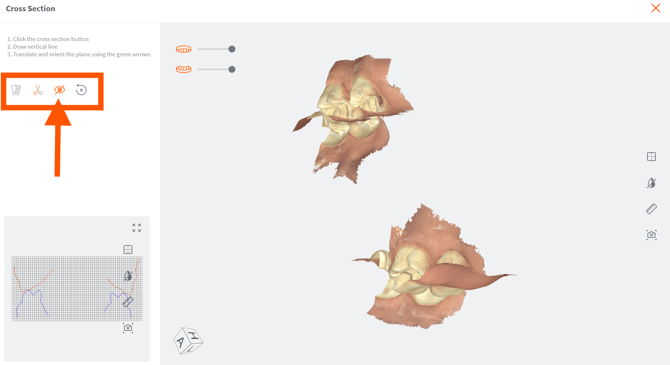
-
8. Click on the expension icon to enlarge the 2D viewing grid.
- Use the wheel of the mouse to zoom in, zoom out
- Move the green arrows to move the place at the desired places
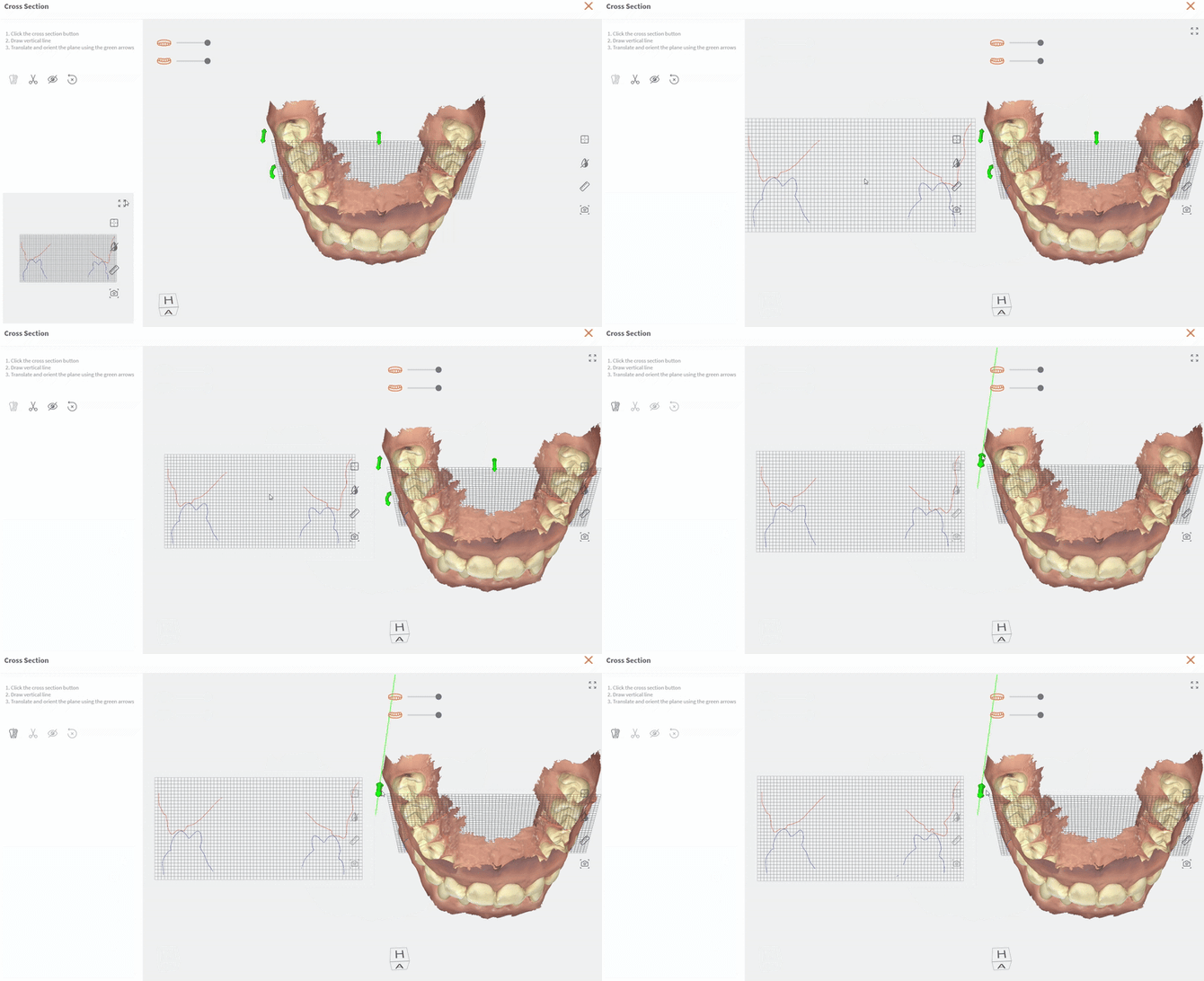
You can carry out measurements and take snapshots as required.
Snapshots can be consulted in the 2D IMAGES tab of the Case Review page.
Available Complementary Tools:
| Icon | Case Review Tool | Description |
|---|---|---|
 |
Reset Viewport | Re-center the digital 3D model on the screen. |
 |
Choose Color Display | Choose between natural captured color, grayscale and bi-color display of digital 3D Model. |
 |
Measurement | Tool enabling you to take measurements on the digital 3D Model. |
 |
Screenshot | Take screenshots of the 3D model as you edit it. |
 |
Display Maxillary Arch | Click on the icon to hide/display the Maxillary arch. use the slider to increase/decrease the opacity of the display. |
 |
Display Mandibular Arch | Click on the icon to hide/display the Mandibular arch. use the slider to increase/decrease the opacity of the display. |