![3DISC_Logo_RGB_tiny.png]](https://help.3disc.com/hs-fs/hubfs/3DISC_Logo_RGB_tiny.png?height=50&name=3DISC_Logo_RGB_tiny.png)
When selected in the Case Setup page (for restoration work or as antagonist scan), the Maxillary arch is the first step displayed in the 3DiscClinic™ Workflow Menu.

The 3DiscClinic™ Scan Workflow
The Workflow Menu will display steps that correspond to the Restoration options selected in the Case Setup page.
Workflow Menu steps in progress are indicated by a green checkmark.
To directly access the Maxillary arch, click on the corresponding icon in the Workflow Menu.
Before You Scan: Case Setup

Before you start scanning, the Case Setup page enables you to:
- Enter Order Form details & options
- Select Scan options (Model Scan, HR, Pre-Op)
- Select Indications and Restorations options
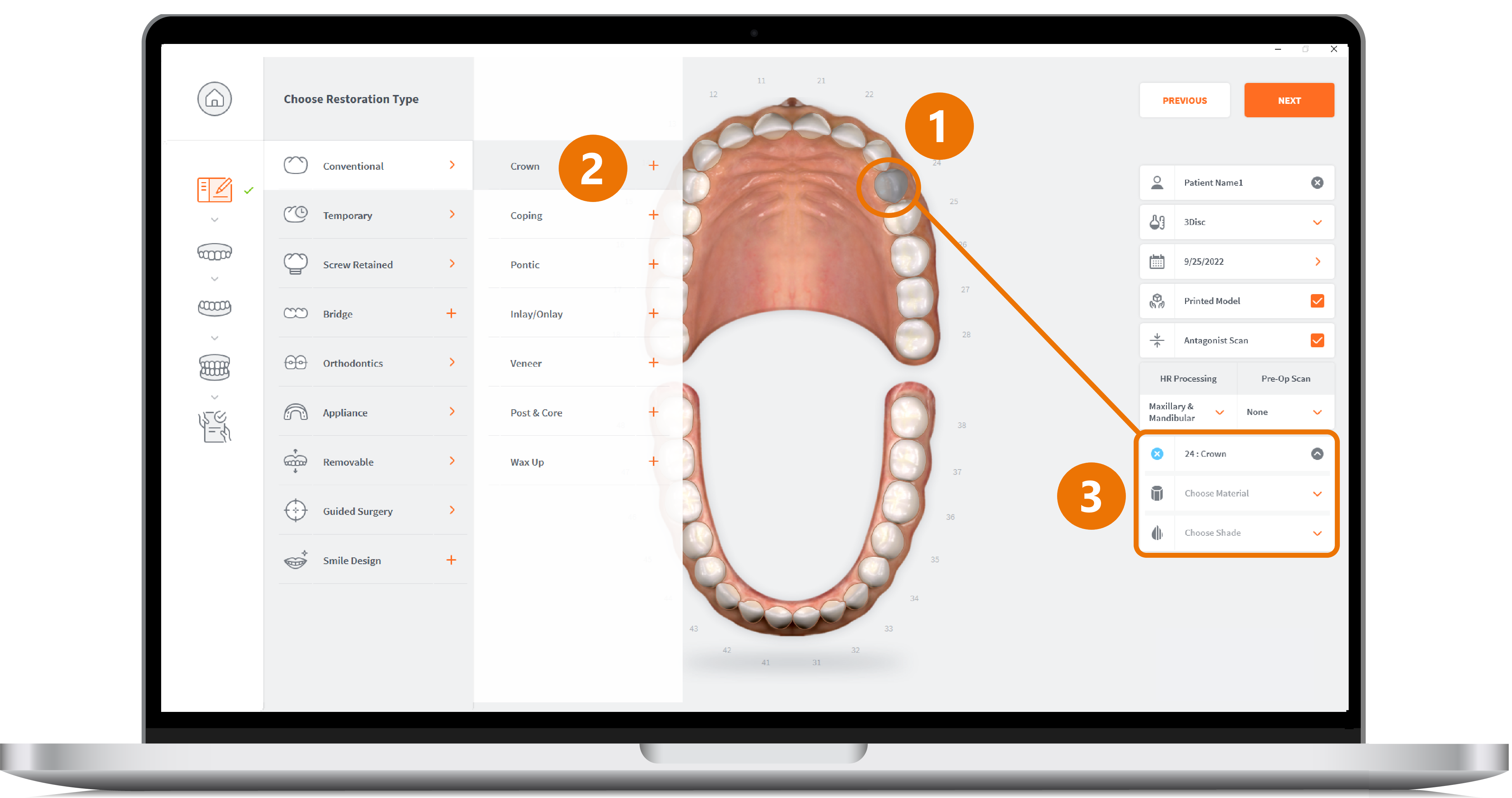
3DiscClinic™ Workflow: Case Setup 1-2-3
For more information go to: