![3DISC_Logo_RGB_tiny.png]](https://help.3disc.com/hs-fs/hubfs/3DISC_Logo_RGB_tiny.png?height=50&name=3DISC_Logo_RGB_tiny.png)
Using the Region Lock tool

The 3DiscClinic™ Region Lock Tool allows you to lock data for a region/regions while scanning, to avoid any further updates of that region.
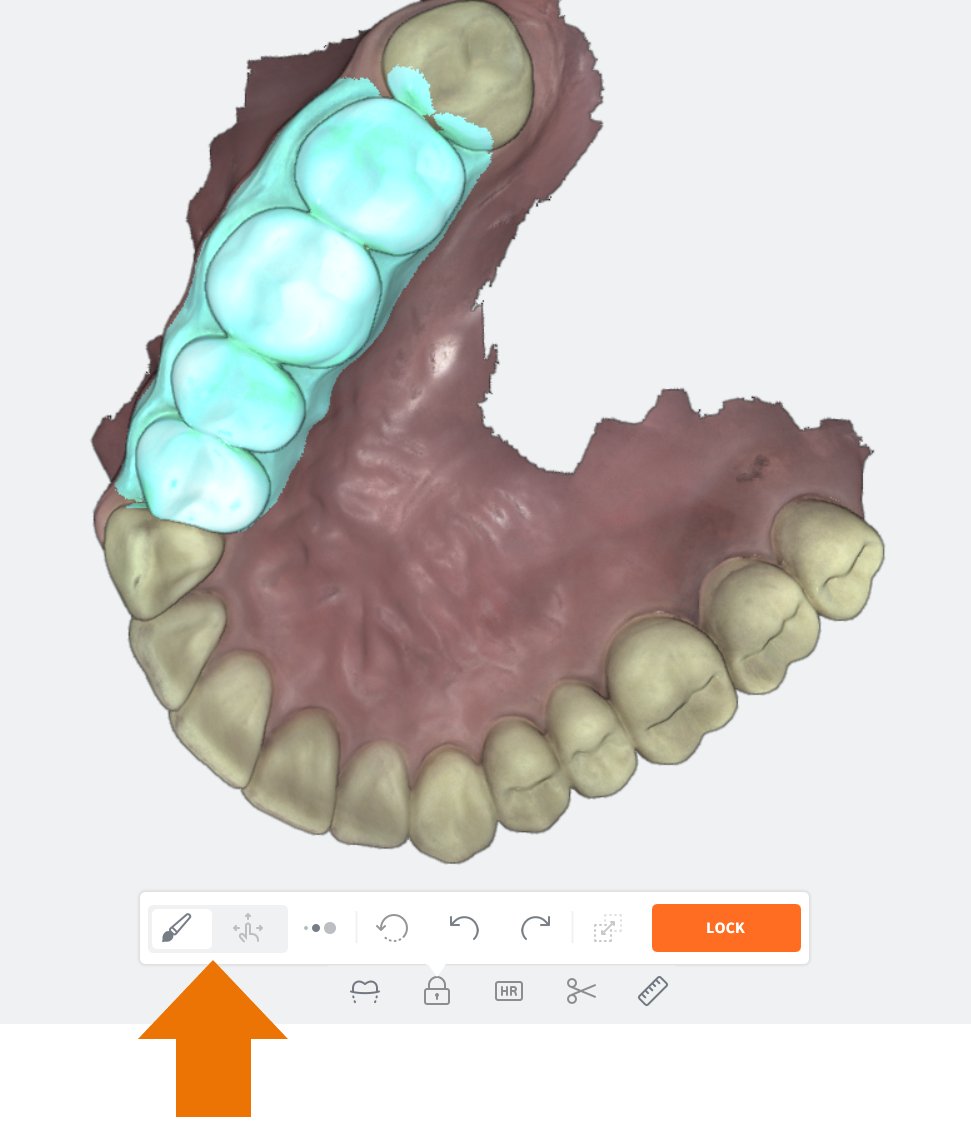
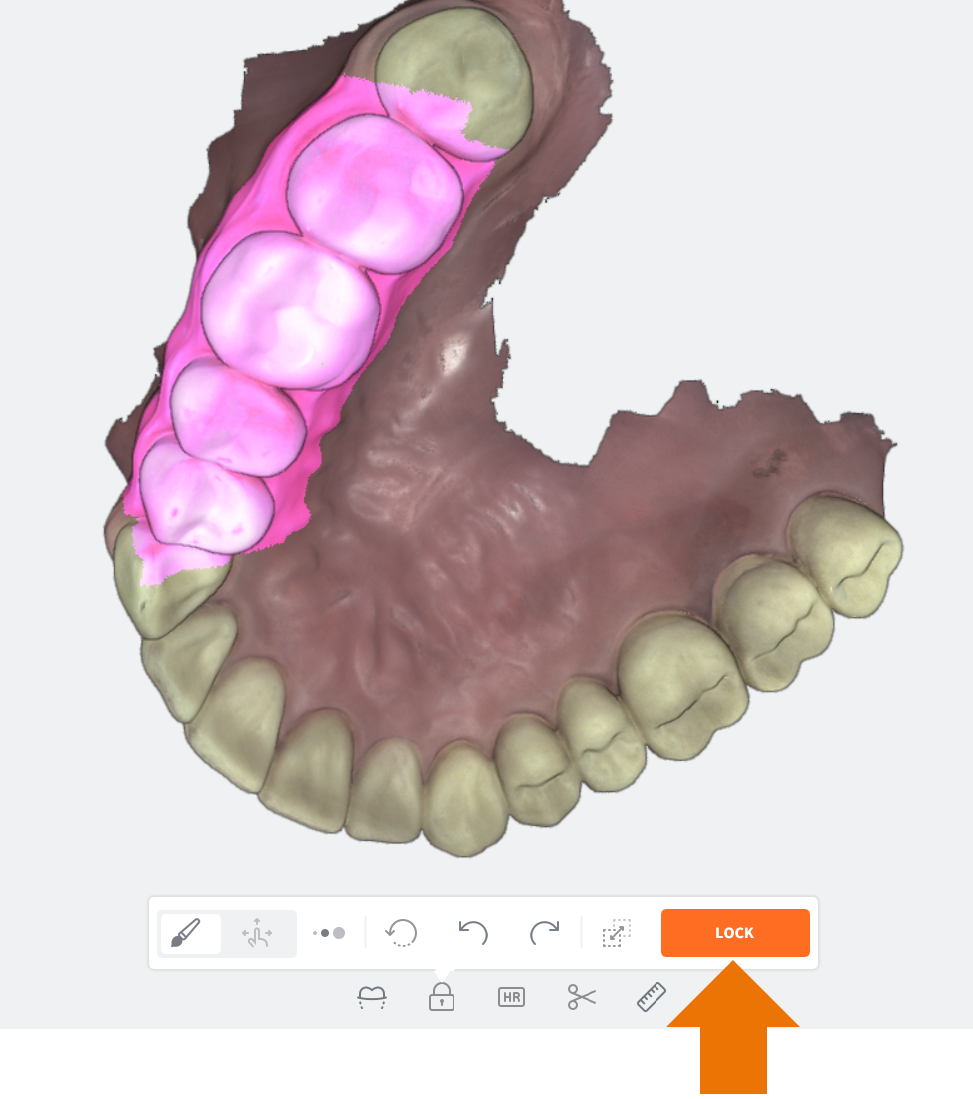
To Select a Region to lock:
- Click on the Brush icon of the Region Selector | Navigation toggle button.
- Select the Brush Size in the expanded Region Lock menu.
- Using the Brush tool, Left-Click+Drag to select the Region of interest.
- Click on the LOCK button.
NOTE: You can select multiple regions by repeating the same procedure for another region.